

Are you being summoned back into the office, but you just don’t feel like giving up those stress-free mornings? Do you love taking meetings from the treadmill? Have you saved a small fortune on lunches?
Well, the good news is that there are exponentially more remote-friendly employers than there used to be. If your boss hasn’t seen the light yet, here’s where to find a new one.
LinkedIn is probably your first stop when looking for a new job, right? You can narrow down your job searches to only show remote offerings, which saves a ton of time.
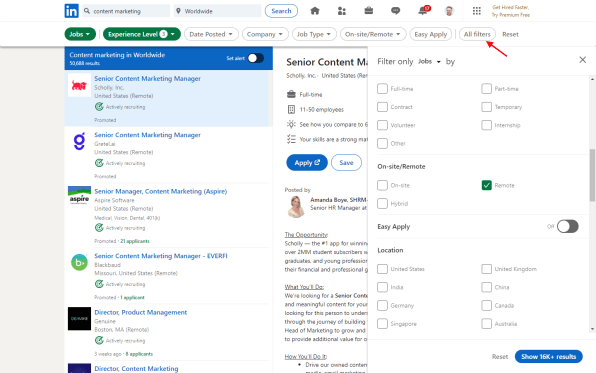
It’s a bit buried, but click the “All filters” button in the far-right corner of the navigation section at the top of the page. From there, head to the “On-Site/Remote” section, where you’ll find options for on-site, remote, or a hybrid of the two.
Indeed.com
Indeed has a pretty straightforward path to remote-only listings. There are two search boxes atop each page. In the “Where” box on the right, simply type “Remote” and choose the remote option from the pre-populated dropdown.
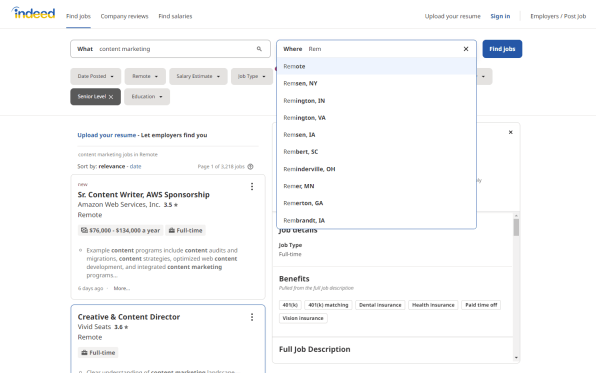
You’ll then be presented with a big list of remote-friendly jobs.
Monster.com
This one was a little tricky, but I found it. Search for a job on Monster.com but leave the location blank.
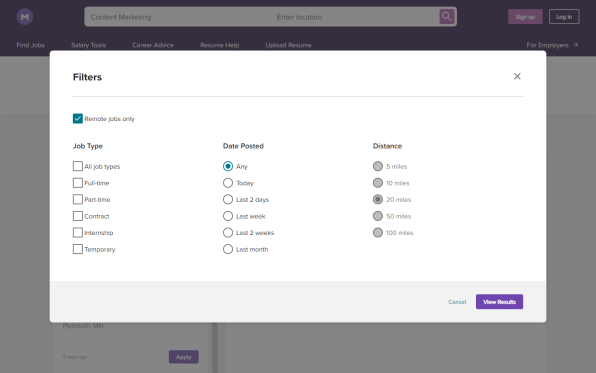
Then from the search results page, click the Filter button in the upper-right corner and you’ll find a “Remote jobs only” option in the upper-left corner of the window that pops up.
SimplyHired
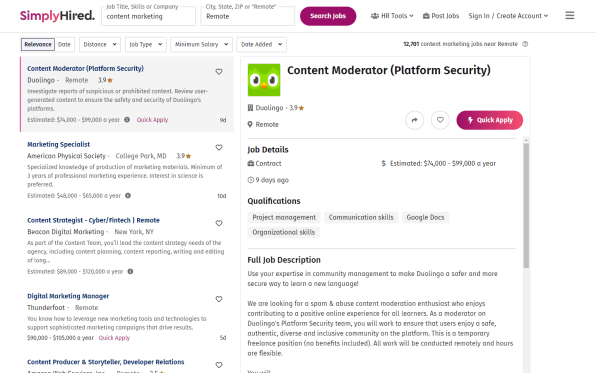
SimplyHired has a straightforward remote-only approach similar to Indeed. There are two search boxes: the one on the right can handle actual geographic locations, or just type “Remote” to see results for remote-only jobs.
Glassdoor
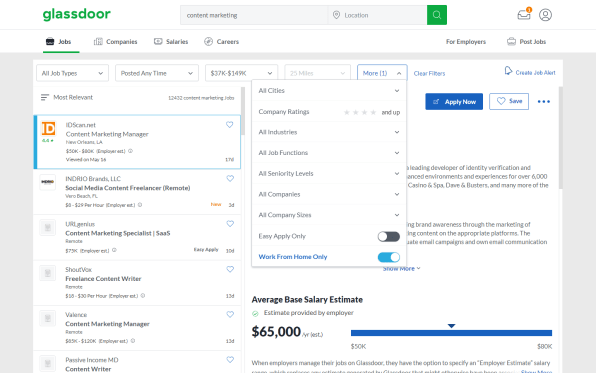
In the Jobs section of Glassdoor, you can enter “Remote” as your location in the related search box or you can click the “More” box in the upper-right corner of the job listings and then toggle the “Work From Home Only” option.
ZipRecruiter
Man, ZipRecruiter really wanted me to search for jobs based on location. However, I found I was able to skirt the issue by adding “remote” to the end of the job title in the left search box and then purposely deleting the location in the right-side search box.
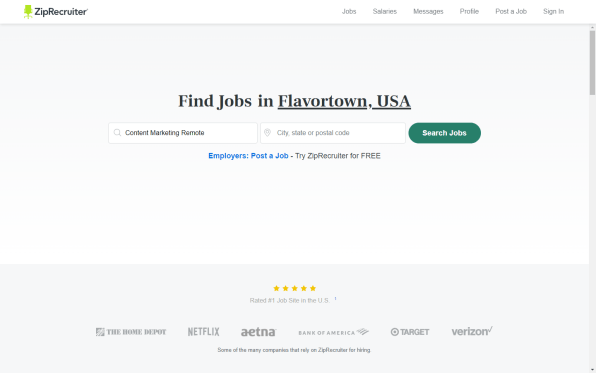
Once I did that, it served up remote-based jobs—and plenty of them.
What if you don’t want to use a big job site?
That’s perfectly fine! In fact, there are several great remote-only job search sites. I wrote a column about some of them a while back if you’d like to check it out.


